Hello friends, how are you? Everyone has heard the name of ChatGPT in the world of AI tools, but when it comes to thinking deeply, understanding long documents and giving reliable answers, another name comes to the fore, which is Cloud AI. This is also very viral in the world of AI tools. What is Cloud AI and how to use it? We will understand it in detail in this post.
I’ve spent the past several months experimenting with Cloud for a variety of tasks, from writing code to understanding research papers. In this post, I’ll share my personal experiences, no exaggerations, no imaginary claims. So read to the end.
What is Cloud AI? In simple words
Claude AI is a conversational AI model created by an American company called Anthropic. Anthropic was founded in 2021, and its unique feature is that many of its founders previously worked at OpenAI (the company that created ChatGPT). They wanted to make AI more safe, responsible, and human-friendly, and this vision led to the birth of Claude. and today, when everyone talks about chatgpt, they also talk about Claude.
Claude is designed to:
- Give direct and clear answers.
- Avoid giving false or harmful information.
- Easily understand even long and complex documents.
- Sound natural in conversation, like a human being.
Simply put, Cloud is a smart, responsible, and reliable AI assistant.
Different versions of Claude
Version Features Suitable for Claude Haiku Fast and lightweight for everyday small tasks Claude Sonnet Balanced speed and quality Best for general use Claude Opus Most powerful for complex analysis and deep work
Free users usually have access to Sonnet 6, which is sufficient for most everyday tasks.
How to use Cloud AI? (Step-by-Step)
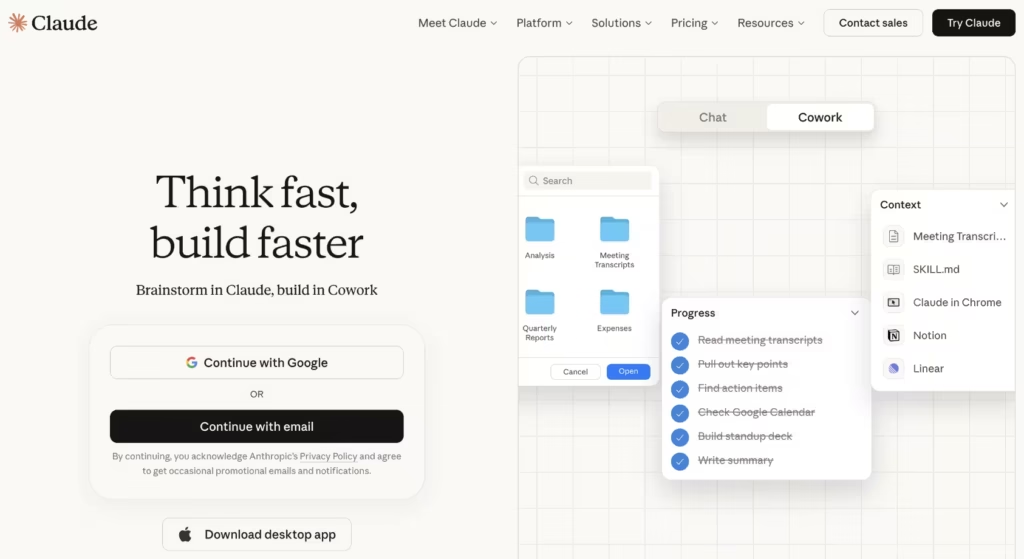
It’s very easy to use.
Step 1: Visit the website
Open claude.ai in your browser.
Step 2: Create an Account
Click “Sign Up.” You can create an account for free with your Google Account or email. It takes no more than 2 minutes.
Step 3: Start Chatting
As soon as your account is created, you can talk to Claude directly. Type your question or task in the message box and press Enter.
Step 4: Upload a File or Document (if needed)
You can upload a PDF, Word document, or text file directly to Cloud. Upload and ask—Claude will read the entire document and respond.
A practical tip: When using it for the first time, start with a simple task like “Tell me about 5 AI tools” This will help you understand Claude’s style.
Real Use Cases of Claude AI
I gave Claude the prompt
I needed to create a study timetable for the UPSC exam, so it provided me with detailed instructions. What would have taken me 30 minutes was done in just 2 minutes.
Claude helps with these tasks:
Clarifying and simplifying paragraphs
Correcting grammar
This is why many content writers count it among the most useful AI tools for Hindi writing, especially for informative content.
Analysis of long documents
This is Cloud’s biggest strength, and it even surpasses ChatGPT here.
Cloud’s large context window allows it to read and understand very long documents in one sitting without having to forget them midway.
Example: A research student uploaded a 40-page policy document to Claude and asked, “What are the main findings of this report and what recommendations are made to the government?” Claude read the entire document and provided a well-organized answer, point by point, with each conclusion and its context.
What would previously have taken 3-4 hours was completed in 5 minutes.
It’s great for:
- Understanding long research papers
- Reading government reports
- Summarizing legal documents
- Getting the main ideas of a long book
Developers and technical users
Although Cloud isn’t primarily known as a coding AI, it’s still quite useful for technical tasks. And I often run small AI code tasks through Cloud.
Example: A junior developer submitted some error-filled Python code to Claude and asked, “What’s wrong with this code and why?” Claude not only pointed out the error but also explained why it occurred and the correct way to fix it, just like an experienced colleague would.
Claude is useful for:
- Explaining code
- Finding errors in logic
- Writing technical documentation
- Explaining an API or library in simple language
It’s more about explaining code than writing it, which makes it a great choice for beginner developers. And many new developers use it.
Commercial use
Small businesses and freelancers can also take advantage of Cloud.
Some practical uses
- Email drafting: Crafting professional emails to clients
- Product description: Writing engaging descriptions for your products
- Meeting notes: Organizing points from a meeting
- Social media captions: Engaging captions for Instagram or Facebook
Cloud AI Security and Data Privacy
The biggest question when choosing an AI tool today is: “Is my data safe?”
Anthropic says:
- User data is not misused.
- Conversations can be used to improve AI in a limited way.
- Commercial exploitation is protected.
But a key piece of advice:
- Whether it’s Cloud or ChatGPT, avoid entering sensitive personal information into any AI tool. Such as:
- Bank account information
- Aadhaar or passport number
- Someone else’s personal details
- This caution applies to every AI platform.
Cloud AI vs ChatGPT which is better?
Many people ask this question. But the truth is, there’s no single tool that’s the best—it depends on what you want to accomplish.
| Work | Claude | ChatGPT |
|---|---|---|
| Analyzing a long document | better | okay-okay |
| Safe and responsible response | better | okay-okay |
| Creative writing | okay-okay | better |
| Writing Code | okay-okay | better |
| Generating Image | No | Yes (GPT-4o) |
| Hindi support | yes | yes |
| free to use | Available | Available |
Other Alternatives to Cloud
If you’re looking for alternatives to Cloud
- ChatGPT (OpenAI) Most popular, good for creative tasks
- Gemini (Google) Integration with Google Search, real-time information
- Perplexity AI: AI with Internet search, perfect for breaking news
- Friends, every tool has its place. Cloud is best suited for those who prioritize long documents, secure AI, and structured responses.
Conclusion
Cloud AI isn’t a magic solution, but it’s certainly a responsible, balanced, and reliable AI assistant.
Based on my months of experience, Cloud is best suited for those who
- want factual and structured answers
- want to summarize long documents
- expect AI to be intelligent and safe
- want AI to assist in studying, content writing, or research
If you want to use AI as a helper, not a do-it-all machine, Cloud AI can be very useful for you.
So visit claude.ai today, create a free account, and experience it for yourself. After reading the first answer, you’ll understand why this tool stands out.

